RESOLV FOR SECURITY, AV & IT INSTALLERS
Wall Imaging:
See Behind Walls Before You Cut
See pipes, wiring, studs, ducts and moisture in real time to eliminate guesswork and prevent costly mistakes
The details that matter most on installation projects are often hidden. Walls conceal electrical wiring, plumbing runs, data cables, coax runs and structural elements. When crews cut or drill, they’re working blind and risking accidental utility strikes, damage to existing systems, callbacks and warranty claims.
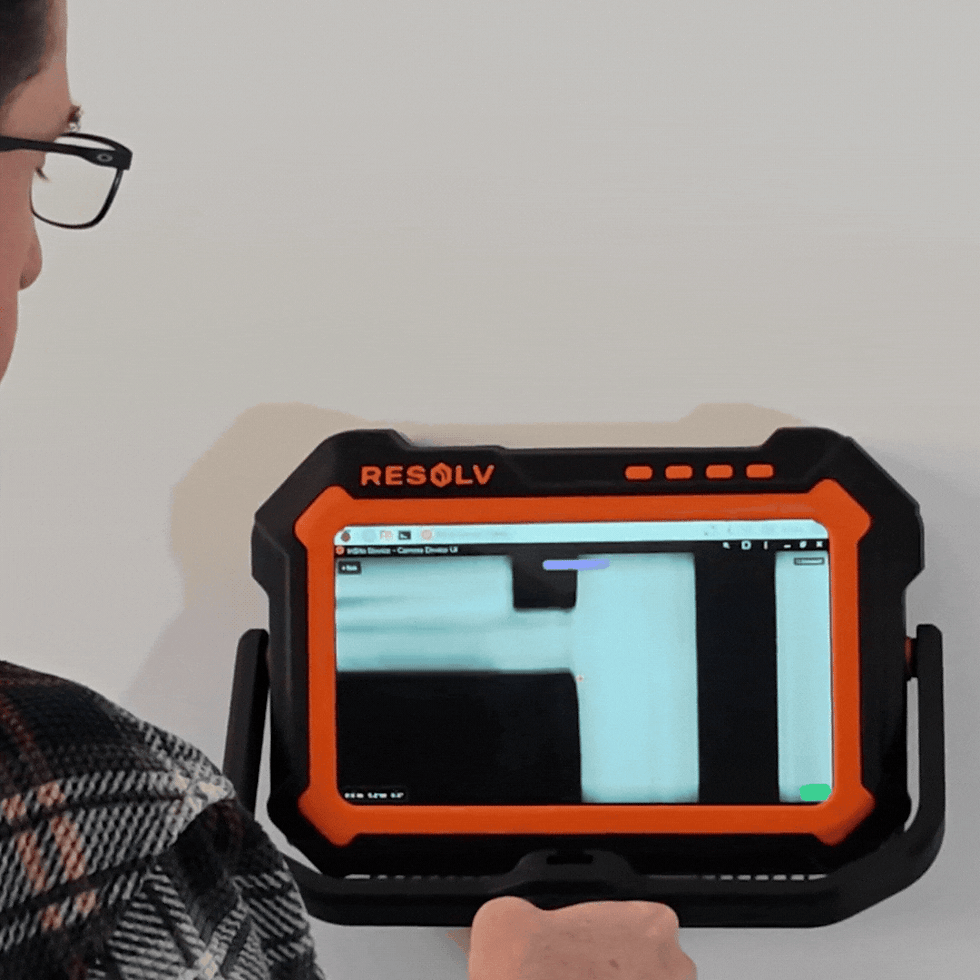
The Resolv InSite Pro eliminates guesswork, reduces risk, and accelerates work. Using radar imaging, it reveals what's actually behind walls before and while you work, so you can validate site conditions before estimating and planning, detect and identify utilities, and create accurate as-built documentation.


Insight is the new power tool
Three ways security, A/V, and IT installers benefit from in-wall imaging
_gif.gif)
DAMAGE PREVENTION
Prevent Utility Strikes and Jobsite Damage with Wall Imaging
Stop costly accidents before they happen
Across security, A/V, and IT installation projects, drywall hides critical utilities and obstacles. Traditional meters, scanners, and metal detectors can't reliably tell you what’s behind the drywall, so blind drilling and cutting is standard. Accidental utility strikes are accepted as risks of the job, leading to emergency repairs, project delays, and insurance claims.
The InSite Pro eliminates the blind spots. Using radar imaging, it reveals exactly where electrical wiring, metal, PVC and PEX pipes, studs, and conduit are located behind drywall before installers cut or drill.
PROJECT PLANNING & ESTIMATION
Build More Accurate Plans with Pre-Installation Wall Imaging
Verify conditions before you commit to a project
Unseen utilities, structural elements, and wall construction make it difficult to put together accurate project plans, estimates and bids. In retrofit security, IT and A/V installations where you're integrating new systems into unknown infrastructure, this lack of visibility often forces you to pad the schedule and the contingency, or accept the risk of winning a job that hurts your bottom line.
The InSite Pro reveals the invisible, ensuring your project starts with clarity. See inside walls before you bid or start demolition to map utility routing, identify structural elements, and detect potential obstacles. Know exactly where to drill or cut, allowing you to work faster and forecast labor more accurately.
_gif.gif)

AS-BUILTS & DOCUMENTATION
Create Accurate As-Built Documentation During Installation
Document cable routes and system infrastructure even after walls close
As-built drawings are only helpful if they’re accurate. For security, A/V and IT installers, cable routes, junction boxes and wire paths often end up different from the original plan to avoid obstacles and conflicts. When these changes don't get documented, coming back to troubleshoot, expand or upgrade systems requires costly and time-consuming guesswork.
The InSite Pro creates the documentation you wish you had at every phase of a project. See inside walls and document actual wire routes, junction box locations, and cable pathways, even after the job is done. Capture and record where camera wire, structured cabling, and A/V cables run to create accurate as-built records that support building information modeling (BIM) updates, future renovation planning, and facility management needs.
How it works
InSite Pro Wall Imager
Advanced technology and ease of use make it simple to see behind walls, in real time, on facility management, maintenance operations, and capital planning projects.


Comparison
InSite Pro wall imager
vs. Traditional tools
The Insite Pro is a new kind of tool, designed to help you tackle any project with confidence. Here's how it compares to scanners, meters, and thermal imagers typically used for building and facility management.
Wall Imaging
Objects Detected
Use
Cases

InSite Pro
-
Wood & Metal Studs
-
PVC & Metal Pipes
-
Wiring (including Romex)
-
Moisture
-
Pests
-
Insulation (with accessory)
-
Damage Prevention
-
Risk Assessment
-
Issue Triage
-
As-Builts
-
Project Estimation
-
Quality Control & Inspection
Wall Scanner
-
Wood & Metal Studs
-
PVC & Metal Pipes
-
Wiring (including Romex)
-
Pests
-
Damage Prevention
-
Risk Assessment
-
Issue Triage
-
As-Builts
-
Project Estimation
-
Quality Control & Inspection
Thermal Imager
-
Indirect Moisture
-
Insulation
-
Risk Assessment
-
Issue Triage
-
Quality Control & Inspection
Moisture Meter
-
Moisture
-
Risk Assessment
-
Issue Triage

InSite Pro
Wall Scanner
Thermal Imager
Moisture Meter
Wall Imaging
Objects Detected
-
Wood & Metal Studs
-
PVC & Metal Pipes
-
Wiring (including Romex)
-
Moisture
-
Pests
-
Insulation (with accessory)
-
Wood & Metal Studs
-
PVC & Metal Pipes
-
Wiring (including Romex)
-
Pests
-
Indirect Moisture
-
Insulation
-
Moisture
Use Cases
-
Damage Prevention
-
Risk Assessment
-
Issue Triage
-
As-Builts
-
Project Estimation
-
Quality Control & Inspection
-
Damage Prevention
-
Risk Assessment
-
Issue Triage
-
Quality Control & Inspection
-
Risk Assessment
-
Issue Triage

FREQUENTLY ASKED QUESTIONS
Get Early Access to the InSite Pro Wall Imager
Join the waitlist for priority access, exclusive launch pricing, and the chance to influence the product before it reaches jobsites.
-
Discounted pre-order pricing for waitlist members
-
First access before public release
-
Beta program invites to test early builds
-
Exclusive updates on launch timeline and features